Cable Management for Home Offices (2026)
Tame 2026 desk cable chaos: hide the power strip, charge everything from one brick, and route the rest with a hub and a screen light bar.
Every home office has the same tangle: a power strip on the floor, five chargers, a monitor cable, a laptop cable, and a mystery cable that belongs to nothing. Cable management is not about perfection. It is about three moves: hide the strip, reduce the chargers, and route what is left. This guide does all three.
Our top picks

D Line cable management box
Number 11 in cable raceways at research time
Check current pricePrices change often; check the current price on Amazon.
A tidy, electrically safe shell for a power strip. Measure first, because the 10.5 inch internal limit catches buyers out.
- Fits power strips up to 10.5" long; external 12.75" x 5" x 4.5" - Made in UK from electrically safe ABS plastic - Click-lock lid; 3 rear cable entry/exit slots - Best Sellers Rank #11 in Cable Raceways - Available in white and black, multiple sizes
Pros
- Hides the strip
- Safe ABS
- Simple locking lid
Cons
- Strict size limit
- Some cable remains visible

Anker 735 65W charger
18,500 plus ratings on the original listing
Around $39Prices change often; check the current price on Amazon.
One compact brick can replace phone, tablet, and laptop chargers. It runs warm and cannot give a large laptop full power while sharing output.
- 65W max output (GaN II technology) - 3 ports: 2x USB-C, 1x USB-A (single port up to 65W; 3-device split: 40W + 12W + 12W) - Foldable prongs; roughly AirPods Pro case size - PPS support for Samsung super fast charging - 18-month Anker warranty
Pros
- Small 65W body
- Three ports
- Foldable prongs
Cons
- Power splits across ports
- Warm at full load
UGREEN Nexode 100W charger
4.8 stars from SmartGearOutlet
Around $46Prices change often; check the current price on Amazon.
Four ports and true 100W output make it a strong value. The USB A port is limited and it lacks PD 3.1.
- 100W max output (single port) - 4 ports: 3x USB-C + 1x USB-A (CD226 model) - GaN technology, foldable plug - Charges a MacBook Pro to ~50% in 30 minutes - Rated 4.8/5 by SmartGearOutlet; Best Sellers Rank #10 in Tablet Chargers & Adapters
Pros
- 100W single port output
- Four ports
- Compact
Cons
- USB A tops out at 22
- 5W
- No PD 3
- 1
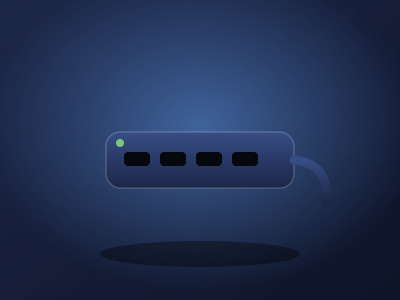
Anker 555 USB C hub
Thousands of owner reviews
Around $50 to $70Prices change often; check the current price on Amazon.
Fast data ports, Ethernet, and 4K60 HDMI cover the essentials. It gets warm, and full laptop power needs a separate 100W charger.
- 8 ports: HDMI 4K@60Hz, USB-C PD input, 1x USB-C data (10Gbps), 2x USB-A (10Gbps), Ethernet, microSD/SD card reader - 85W pass-through charging to laptop - Compatible with MacBook (macOS 12+), Windows, ChromeOS; not compatible with Linux - 18-month Anker warranty
Pros
- 10Gbps data
- 4K60 HDMI
- Ethernet
Cons
- Runs warm
- Slow UHS I card reader

BenQ ScreenBar Classic
4.7 stars, 3,103 ratings
Check current pricePrices change often; check the current price on Amazon.
Even desk light and a dependable clamp distinguish it from cheaper bars. The premium price and on bar controls are the main complaints.
- Asymmetrical optics: lights the desk, not the screen (no glare) - Auto-dimming with built-in ambient light sensor - Adjustable color temperature 2700K–6500K, CRI > 95 - Clamps to monitors 0.4"–1.2" thick (fits curved monitors above 1500R) - USB powered; 4.7 stars across 3,103 ratings
Pros
- No screen glare
- Automatic dimming
- High color accuracy
Cons
- Premium price
- No remote controller

Lamicall adjustable laptop stand
Long running category favorite
Around $63Prices change often; check the current price on Amazon.
A sturdy aluminum build and rotating base work well for screen sharing. It is heavier and takes more desk space than minimalist stands.
- Adjustable height and angle; folds flat for travel - Thick aluminum construction with honeycomb ventilation vents - Fits 10" to 17.3" laptops - 360-degree rotating base - Silicone pads to prevent scratches
Pros
- Stable
- Rotates 360 degrees
- Fits large laptops
Cons
- Heavy
- Large base
- Stiff hinges at first
How to choose
Start by hiding the ugliest thing on the floor. The D Line cable management box swallows a power strip up to 10.5 inches long in an electrically safe ABS shell with a click lock lid and three rear cable entry slots. Measure your strip first, because the strict 10.5 inch internal limit catches buyers out. One box turns a floor nest into a clean rectangle with only the cables you actually need coming out.
Next, kill the charger pile. The Anker 735 65W charger replaces phone, tablet, and laptop chargers with one compact brick: three ports, foldable prongs, about the size of an AirPods case. It runs warm at full load and power splits when all three ports are busy, so it suits one laptop plus small devices. If your desk runs hungrier, the UGREEN Nexode 100W charger gives true 100W single port output across four ports in a still compact GaN body, enough for a MacBook Pro plus peripherals. Its USB A port tops out lower and it lacks PD 3.1, but as a single desk charger it is a strong value.
Route what remains through one hub. The Anker 555 USB C hub connects monitor, Ethernet, and fast storage through a single laptop cable: 4K60 HDMI, 10Gbps data ports, and 85W pass through charging, so docking is one plug. It runs warm and the card reader is slow, but for a permanent desk setup it replaces a rat's nest of dongles.
Two more pieces finish the clean desk. The BenQ ScreenBar Classic mounts on the monitor and is USB powered, which removes the need for a desk lamp and its cable entirely, while lighting the desk without screen glare. The Lamicall laptop stand lifts the laptop off the desk on a rotating aluminum base, hiding its power cable behind the stand and freeing the space underneath for the cable box or a keyboard.
Frequently asked questions
What is the first thing to buy for cable management?
The cable box. A D Line box hiding the power strip removes the visual chaos instantly, even before you touch a single cable. Everything after that is refinement.
One big charger or several small ones?
One big one, almost always. A single 65W or 100W multi port charger replaces three or four wall warts and their cables. Keep one spare phone charger in a drawer for travel.
Is it safe to put a power strip in a box?
In a box designed for it, yes. The D Line box is made from electrically safe ABS and the click lock lid keeps things contained. Do not coil a fully loaded strip in an airtight container, and keep high draw heaters out of it.
How do I hide the cables between the desk and the wall?
Route them along the desk's back edge with adhesive clips, drop them straight down behind the desk leg, and keep the cable box under the desk. One vertical drop looks intentional; cables sprawling across the floor do not.
What about the cables under a standing desk?
Bundle them with slack and a cable tray or sleeve attached under the desktop so they move with the desk. Leave enough slack for full height, and keep the power strip on the desk side, not the wall side.
The verdict
The D Line box to hide the strip, one multi port charger from Anker or UGREEN to replace the wall warts, the Anker 555 hub to dock with one cable, and the ScreenBar plus Lamicall stand to remove a lamp and free the surface: the five piece path from cable nest to clean desk.