Best Portable Monitors for Remote Work (2026)
How to choose a portable monitor for remote work in 2026, plus the desk setup gear (stand, hub, keyboard, light bar) that makes it shine.
A second screen is the single biggest remote-work productivity upgrade, and portable monitors make it possible anywhere: hotel desks, coworking spaces, kitchen tables. Here is what to look for in 2026, plus the setup gear that turns a laptop and a portable screen into a proper workstation.
Our top picks

Lamicall adjustable laptop stand
Long running category favorite
Around $63Prices change often; check the current price on Amazon.
A sturdy aluminum build and rotating base work well for screen sharing. It is heavier and takes more desk space than minimalist stands.
- Adjustable height and angle; folds flat for travel - Thick aluminum construction with honeycomb ventilation vents - Fits 10" to 17.3" laptops - 360-degree rotating base - Silicone pads to prevent scratches
Pros
- Stable
- Rotates 360 degrees
- Fits large laptops
Cons
- Heavy
- Large base
- Stiff hinges at first
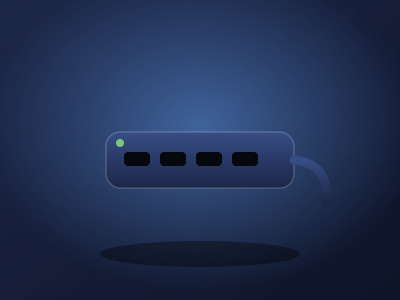
Anker 555 USB C hub
Thousands of owner reviews
Around $50 to $70Prices change often; check the current price on Amazon.
Fast data ports, Ethernet, and 4K60 HDMI cover the essentials. It gets warm, and full laptop power needs a separate 100W charger.
- 8 ports: HDMI 4K@60Hz, USB-C PD input, 1x USB-C data (10Gbps), 2x USB-A (10Gbps), Ethernet, microSD/SD card reader - 85W pass-through charging to laptop - Compatible with MacBook (macOS 12+), Windows, ChromeOS; not compatible with Linux - 18-month Anker warranty
Pros
- 10Gbps data
- 4K60 HDMI
- Ethernet
Cons
- Runs warm
- Slow UHS I card reader
Keychron K2 keyboard
Popular owner reviewed model
Around $79 to $90Prices change often; check the current price on Amazon.
Strong typing feel, a Mac first layout, and hot swap flexibility make it a good entry board. Variant listings are confusing and Bluetooth wake can lag.
- 75% layout (84 keys), aluminum frame - Hot-swappable PCB (no soldering to change switches) - Bluetooth 5.1 connects to 3 devices + wired USB-C - Mac/Windows key layout switch; RGB backlight - 4000mAh battery (up to 72h typing)
Pros
- Hot swappable
- Three device Bluetooth
- Compact layout
Cons
- Wake delay
- Keycaps shine with wear

BenQ ScreenBar Classic
4.7 stars, 3,103 ratings
Check current pricePrices change often; check the current price on Amazon.
Even desk light and a dependable clamp distinguish it from cheaper bars. The premium price and on bar controls are the main complaints.
- Asymmetrical optics: lights the desk, not the screen (no glare) - Auto-dimming with built-in ambient light sensor - Adjustable color temperature 2700K–6500K, CRI > 95 - Clamps to monitors 0.4"–1.2" thick (fits curved monitors above 1500R) - USB powered; 4.7 stars across 3,103 ratings
Pros
- No screen glare
- Automatic dimming
- High color accuracy
Cons
- Premium price
- No remote controller
How to choose
For the monitor itself, prioritize: 15.6 inches at 1080p minimum (the sweet spot of size, weight, and price), USB-C with power delivery (one cable for video and power), and under 2 pounds so it actually travels. Brightness of 300 nits or more matters for bright rooms. Well-reviewed options from ASUS ZenScreen, Lenovo ThinkVision, and Arzopa lines dominate owner recommendations; check current prices on Amazon since the value leader rotates with sales.
The supporting cast matters as much. A laptop stand raises your main screen to eye level, a USB-C hub drives the second display plus peripherals over one cable, a real keyboard saves your wrists, and a monitor light bar kills evening eye strain without desk space.
Frequently asked questions
Can one USB-C cable run a portable monitor?
Yes, if your laptop's USB-C port supports DisplayPort Alt Mode (most modern laptops do). The cable carries video and power; the hub can add charging pass-through.
Is 1080p enough for a 15.6-inch portable monitor?
For most work, yes. Text is sharp at normal viewing distances. Upgrade to higher resolution only for design or video work where pixel precision pays.
What is the full remote-work desk kit?
Portable monitor plus laptop stand, USB-C hub, wireless keyboard, and a light bar. That five-piece kit replicates a home office anywhere in a backpack.
The verdict
Buy the portable monitor that fits your bag and budget from the established lines, then complete the kit: Lamicall stand, Anker 555 hub, Keychron K2, and the BenQ ScreenBar. The monitor gets the credit, but the ergonomics make it sustainable.